
Photo Cleaner
Delete similar shots and large videos in bulk
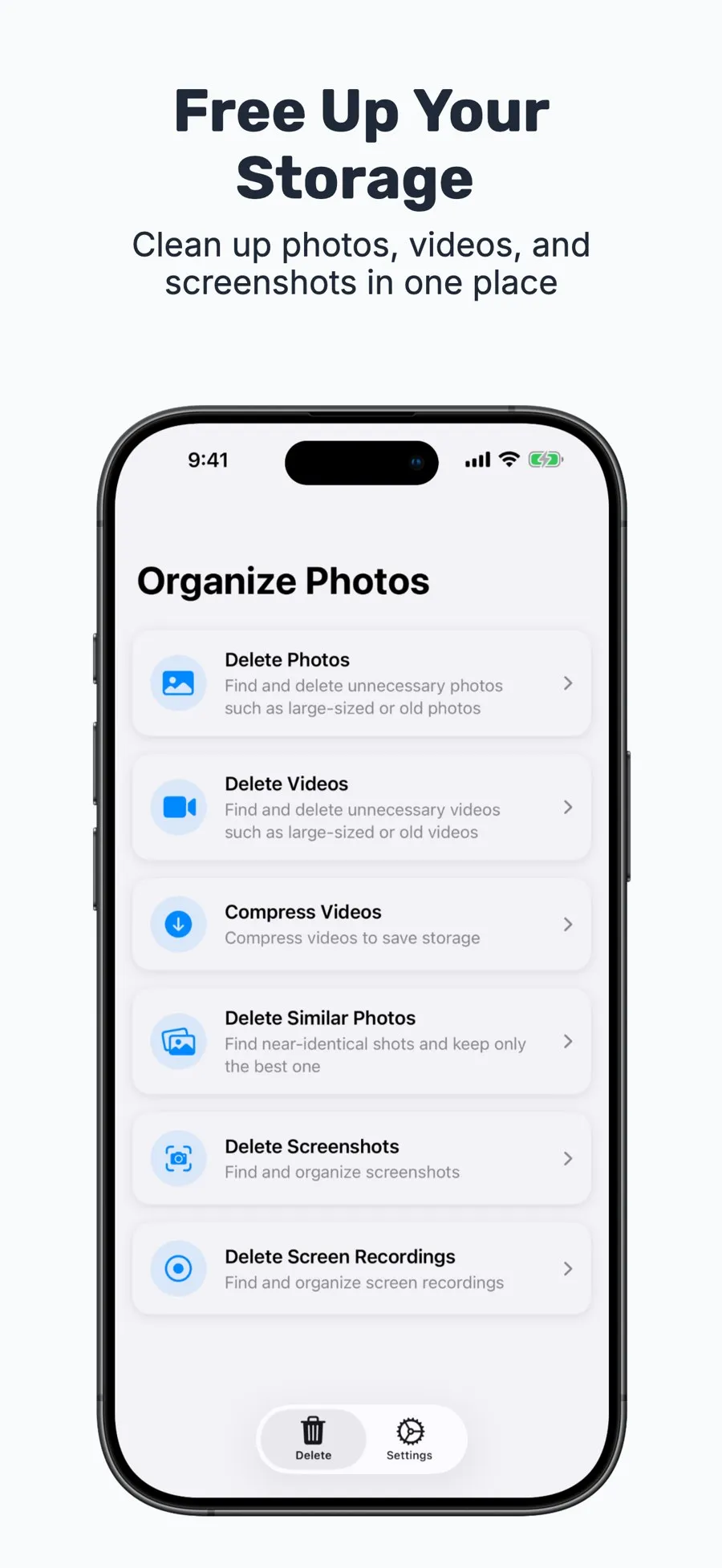
Photo Cleaner finds the photos, videos, and screenshots that take up the most space on your iPhone and lets you clear them out in bulk. Everything is sorted by size, so you can see at a glance what to delete first.
View on the App StoreiPhone
What it does
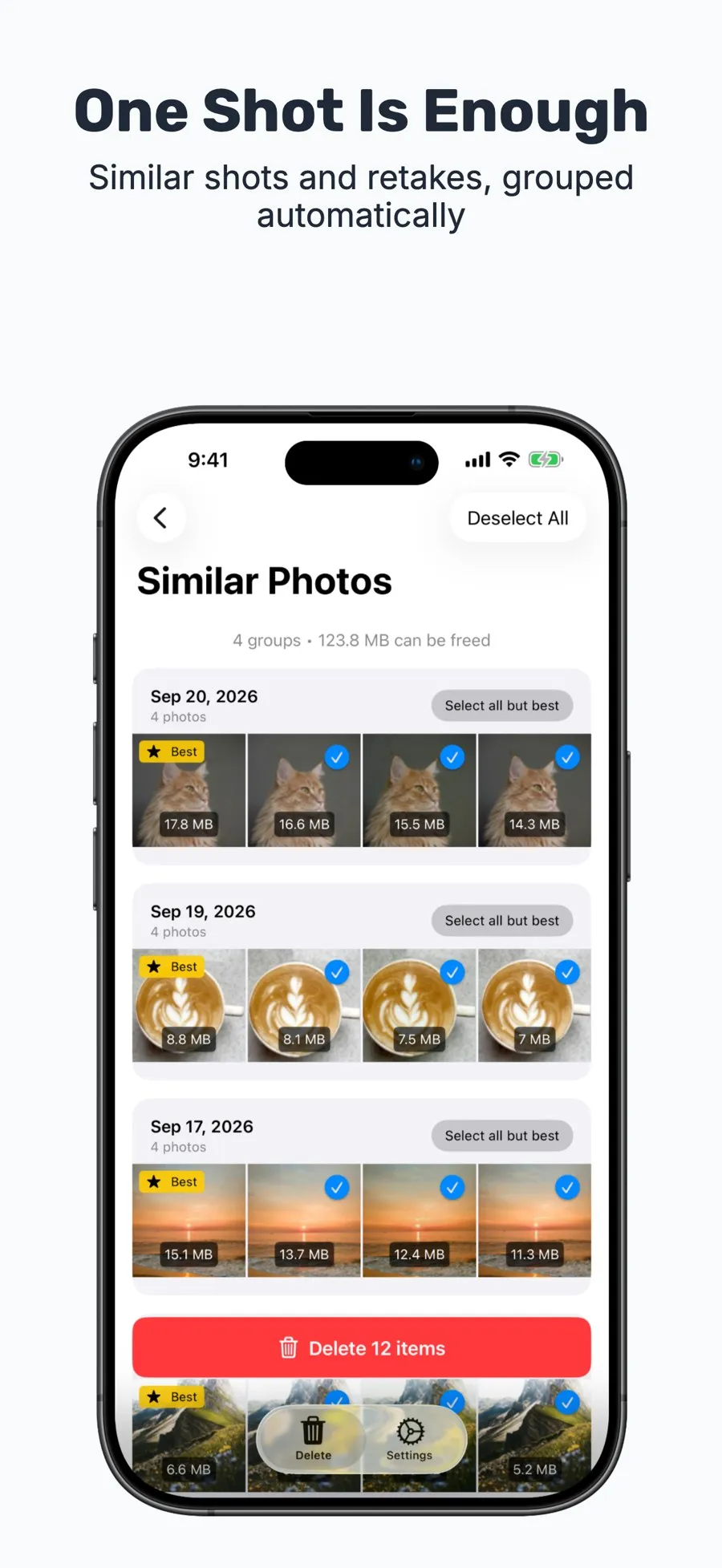
Delete similar photos
Burst shots and retakes are grouped automatically. Keep one photo from each group and select the rest in one go.
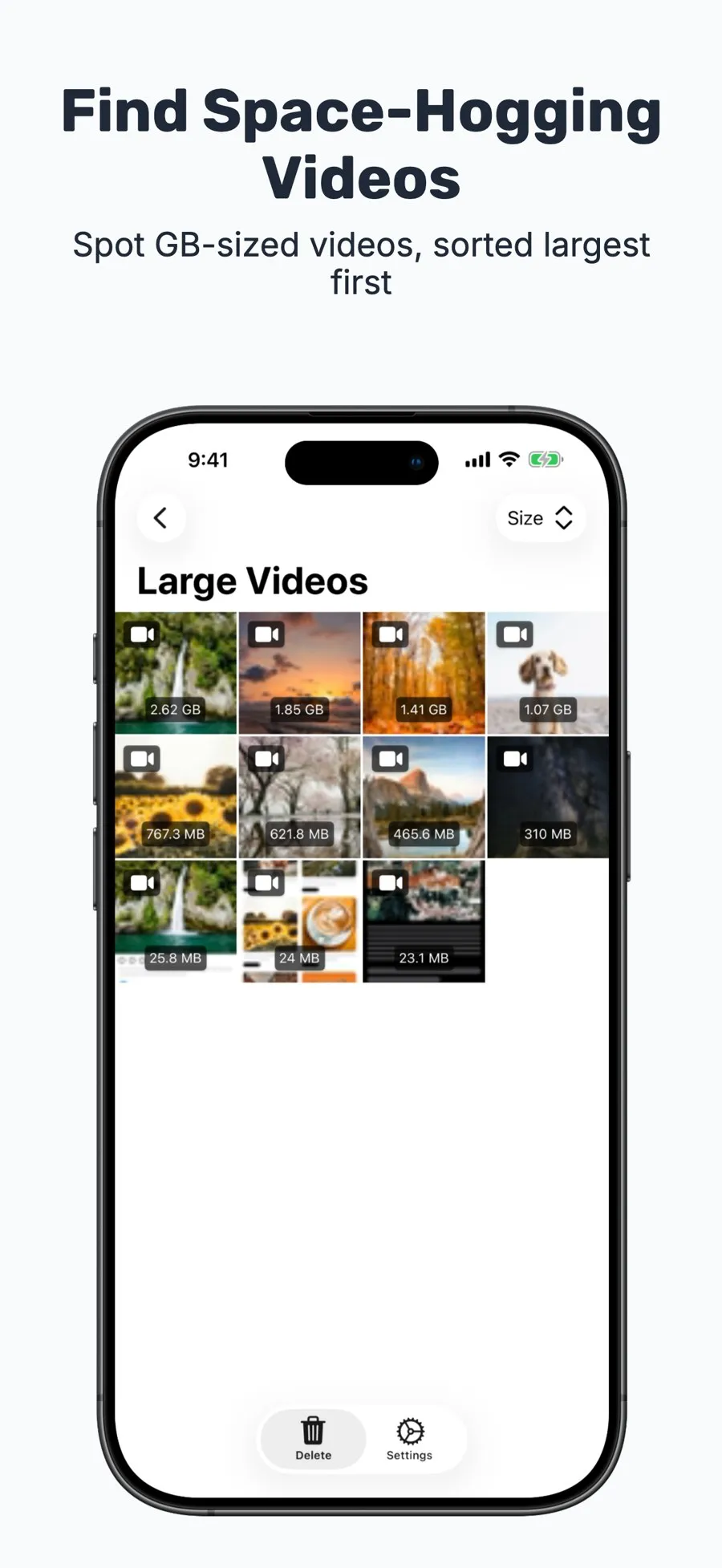
Delete large videos
Videos can take up several GB each. See them all sorted from largest to smallest.
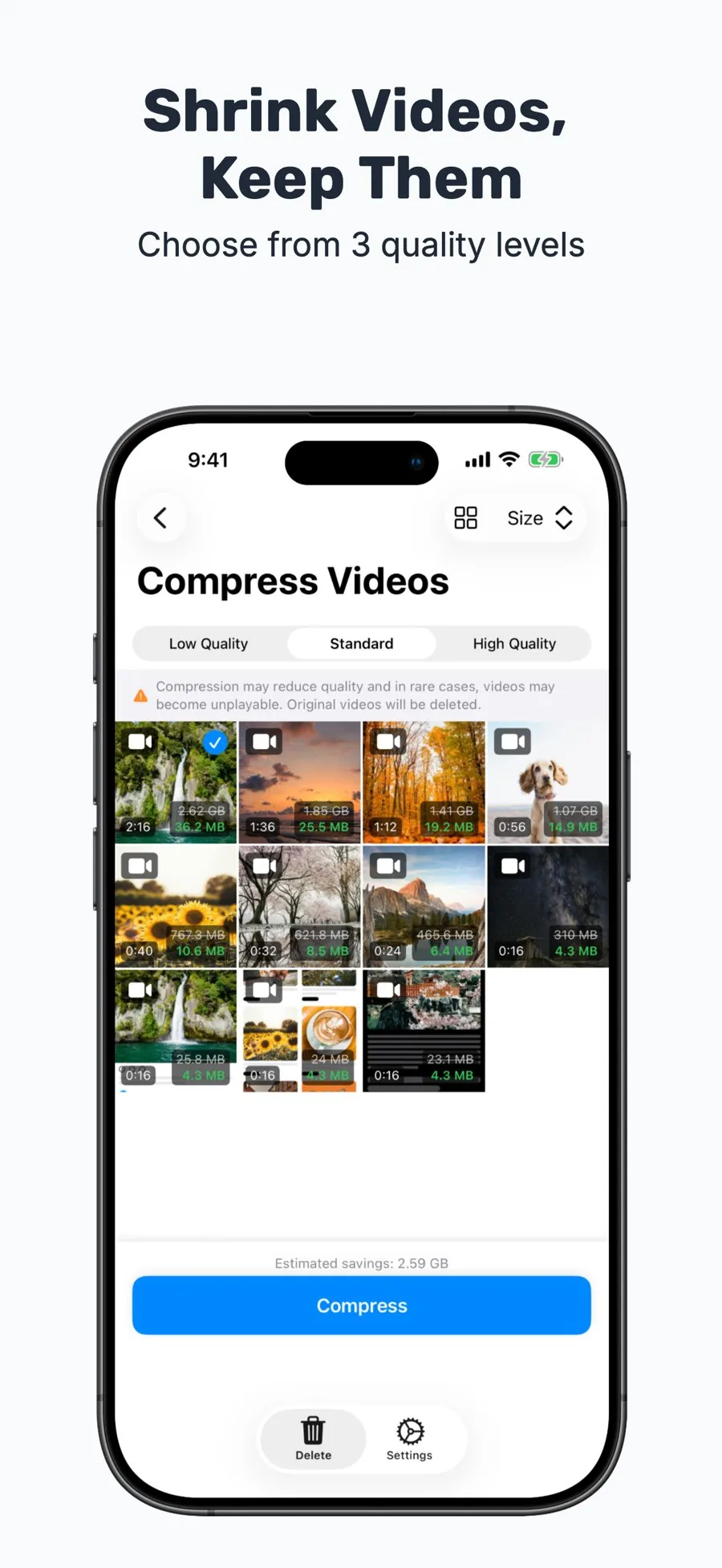
Compress videos
Want to keep a video but not its size? Compress it instead. Choose from three quality levels.
Delete large photos
See your largest photos in one list. Sort by size, newest, or oldest.
Delete screenshots and screen recordings
Clear out screenshots you no longer need and screen recordings you forgot about, all in one place.
Designed for peace of mind
- Touch and hold any photo or video to preview it full screen before deleting.
- Deleted items go to Recently Deleted in the Photos app, so you can restore them within 30 days.
- All photo analysis happens on your iPhone. Your photos are never sent anywhere.